Subtitles on Pub TVs: Why Every Muted Telly Needs Them
Most pub tellys are on mute, so subtitles do the talking. How to turn them on when one box feeds every TV, why live ones lag 5 seconds, and who they help.
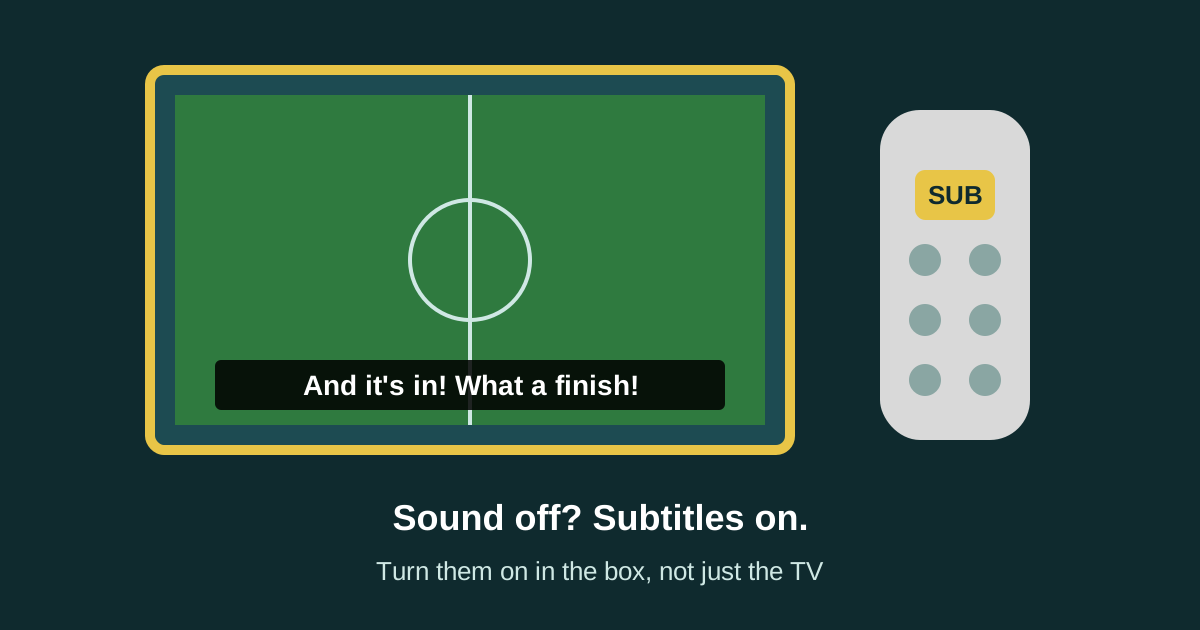
Walk into most pubs on a weekday afternoon and count the tellys. Four, five, six of them. Now count how many have the sound on. Usually none.
That's the right call. Five screens all talking at once is a racket, it fights the music and it drives the quiet-pint crowd out. But it means the picture has to do all the work. On the news, a press conference or a post-match interview, a muted telly with no subtitles is just people moving their mouths.
So this guide is about the cheapest improvement you can make to a pub TV: getting the subtitles on, on the right screens, readable from the back, and knowing what they can and can't do. I've kept it to things I could check, with the sources at the bottom.
The short answer
- Turn subtitles on in the box, not just the TV. If a sports box or Freeview box feeds your TVs over HDMI, the box puts the words on the picture. Most boxes have a SUB or Subtitles button.
- With a splitter, it's all TVs or none. Every screen gets the same picture, words and all.
- With a matrix and two boxes, you can have words on the quiet side and a clean picture on the TV with the sound.
- Live subtitles lag. Ofcom's research puts the average delay at 5 to 6 seconds. The cheer goes up before the words do.
- Make them big. Many TVs let you change subtitle size, colour, background and position.
- It's not just for people with hearing loss. It's for anyone in a noisy pub, which is everyone.
Who actually uses subtitles in a pub?
More people than you'd think. RNID, the charity for deaf people and people with hearing loss, says there are over 18 million people in the UK who are deaf, have hearing loss or tinnitus. That's one in three people. It says 2.4 million have a level of hearing loss that means they'd struggle to hear most conversational speech.
Now think about your Saturday afternoon regulars. Plenty of them are older blokes who've stood next to a speaker for forty years. They won't ask for subtitles. They'll just stop looking at the telly, or stop coming in for the early game.
Then there's everybody else. Ofcom published research in 2024 on how people use subtitles. People in it said subtitles helped when background noise or mumbling made speech hard to follow, and some used subtitles instead of turning the volume up so they didn't disturb others. That is a pub in one sentence. Background noise is the whole point of a good pub.
RNID also campaigns on this. In its Subtitle It work, 80% of the people it asked said a lack of subtitles had stopped them watching a programme. In a pub, "stopped watching" means "watched it at home instead".
How to turn subtitles on (the bit people get wrong)
Here's the mistake I see most. Someone finds the subtitles setting in the TV's own menu, switches it on, and nothing happens. That's because the TV's setting only works for what the TV itself is showing, like its own built-in tuner or its apps.
In most pubs the picture comes from a box: a sports box, a Freeview box or a streaming stick. The box draws the subtitles onto the picture before it sends it down the HDMI lead. So you switch them on in the box.
Freeview boxes and TVs
Freeview's help page says to press the Subtitles button on your box's or TV's remote control, which may also be shown as SUB. If there's no button, press Menu and follow the options until you reach language and subtitles. Freeview says most programmes are subtitled, which is not the same as all of them.
Pay TV boxes
Every big TV box does it slightly differently, and the button's often hiding in plain sight.
- BT TV box: BT's help page says press SUB on the remote. On the TV Box Pro, press the MORE button and go to Subtitles. Or go to Settings, then Accessibility and Language, then Language and Subtitles.
- EE TV Box Pro: a comparison guide from Choose says pressing More takes you straight to subtitle settings.
- Other sports boxes: the same guide says some remotes have a dedicated subtitles button, some boxes take a voice command like "subtitles on", and some need you to go through a few menu layers. Find yours once, then write it down.
The TV itself
If a screen shows its own tuner or apps, use the TV's setting. Samsung's UK help page gives the route as Home, Menu, Settings, All Settings, General and Privacy, Accessibility, then Caption Settings. Other makes have a similar Accessibility menu.
Streaming sticks and apps
Each app has its own subtitles switch, usually under a speech bubble icon while something's playing. If you show anything through an app, check it's allowed in a pub first. Our guide on what to put on pub TVs covers the licensing side.
My tip: stick a label on the back of each remote saying exactly which button turns the subtitles on. Then the Saturday lad can do it without ringing you.
One box, lots of TVs: what happens to the words
This catches people out when they've got several screens.
A splitter copies one picture to every TV. So if the box has subtitles on, every TV shows them. If it's off, none do. You can't have words on three screens and not the fourth.
A matrix lets any box go to any TV. With two boxes, you can run one with subtitles on for the screens in the quiet corner and the dining side, and one with subtitles off for the TV that's got the sound on. If the TV with the sound is also showing words, nobody minds, but you lose a strip of the picture for no reason.
We run our TVs at Teal Farm through an HDMI matrix, and our guide on how to connect multiple TVs in a pub explains splitters and matrices in plain words. The short version for subtitles: decide which screen has the sound, then put words on the rest.
Live subtitles: what to expect
Pre-recorded programmes get subtitles written in advance, and they're usually spot on. Live TV is different. Ofcom's 2024 research says live subtitles are made by re-speaking (someone repeating what's said into speech recognition software), by stenography, or by automatic speech recognition. It quotes an average delay of 5 to 6 seconds between the words being said and the subtitles appearing.
So on a live match or live news:
- The words run behind the picture. A goal goes in, the pub goes up, and five seconds later the subtitles say what happened.
- There will be mistakes. Player names come out wrong. People in the Ofcom research had lower expectations of live subtitles because of accuracy and timing, and some avoided them on live programmes altogether.
- Ads may not have them. Rules on how much has to be subtitled apply to programmes on each channel. Choose's guide says Ofcom's main level requires 80% of a channel's programmes to be subtitled, and that live and rolling channels, like news and sport, are harder to subtitle consistently than pre-recorded ones.
None of that is a reason to switch them off. For a muted screen, words that are five seconds behind beat no words at all. Just don't expect them to be perfect, and don't let staff think the box is broken when a name comes out as gibberish.
Make them readable from the back
A line of small white words at the bottom of a TV over the bar is no use to someone at the far table. Three fixes.
- Size. Many TVs and boxes let you make subtitles bigger. Samsung's help page lists size, font colour, background colour and position as options. Go one size bigger than you think.
- Background. White words on a black box are easier to read than white words floating over a white football shirt.
- Position. Look at what's under each TV. Optics, a fruit machine, the top of the bar, people's heads. If the bottom of the screen is hidden from half the room, move the words up if your box or TV allows it.
Then do the same test you'd do for anything on your screens: stand at the furthest seat, look up, and read it. If you squint, it's too small. Our guide on how high to mount a TV in a pub covers viewing distances and where the bottom of the screen should sit, which affects how much of the subtitle line people can actually see.
Which screens should have subtitles on?
Here's how I'd set it up in a normal pub.
- The main TV with the sound on: subtitles off, unless you've got regulars who ask for them.
- Every muted TV showing live TV: subtitles on. News, racing, darts, interviews, the lot.
- The dining side: subtitles on, sound off. People eating want to talk, not compete with a commentator.
- Garden or covered area: subtitles on if there's no sound out there. Our outdoor TV guide explains why I'd keep garden sound low anyway.
- Screens showing your own offers or a quiz: these should be made for no sound in the first place, with big words on screen.
Is it a legal requirement?
I'm not a lawyer, so take this as a pointer, not advice. RNID's guide to the Equality Act 2010 says service providers have to make reasonable adjustments so disabled people aren't at a substantial disadvantage. Its examples include changing how things are done and providing an auxiliary aid or service, like a hearing loop. It names cinemas, museums and cafes as examples of service providers.
I couldn't find anything that says a pub must have subtitles on every TV. But if a regular with hearing loss asks for the subtitles on the screen they're sat at, pressing one button on a remote is about as reasonable as an adjustment gets. Just do it, and tell your staff to do it without being asked twice.
What I'd do this week
- Find the subtitles button for every box and every TV with its own tuner. Label the remotes.
- Decide which one TV has the sound on.
- Turn subtitles on for every other screen showing live TV.
- Make the words bigger and give them a background if your kit allows it.
- Stand at the back table and check you can read them.
- Tell staff what to expect from live subtitles, so nobody switches them off thinking they're broken.
- Ask your regulars. The ones who'll tell you are the ones who've been missing out.
Frequently asked questions
How do I turn on subtitles on a pub TV?
If a box feeds the TV, turn subtitles on in the box. Most remotes have a SUB or Subtitles button, or you'll find it in the box's menu under language, accessibility or subtitles. The TV's own subtitle setting only works for its built-in tuner and apps.
Why won't subtitles show on my TV when I turn them on?
Usually because the picture is coming from a box over HDMI, and the box decides whether subtitles are drawn on. Switch them on in the box's settings instead of the TV's. Also check the programme has subtitles, as not every programme or advert does.
Can I have subtitles on some pub TVs and not others?
Only if the TVs are fed from different boxes. A splitter sends the same picture, subtitles and all, to every TV. With a matrix and two boxes, you can run one with subtitles for the muted screens and one without for the TV with the sound on.
Why are live subtitles behind the picture?
Live subtitles are made as it happens, by re-speaking, stenography or speech recognition. Ofcom's research quotes an average delay of 5 to 6 seconds, and they can contain mistakes, especially names. They're still far better than nothing on a muted screen.
Do pubs have to show subtitles?
I couldn't find a rule saying every pub TV must have subtitles. The Equality Act 2010 expects service providers to make reasonable adjustments for disabled customers, and turning subtitles on when a customer asks is about the simplest one there is. This isn't legal advice.
How many people need subtitles?
RNID says over 18 million people in the UK are deaf, have hearing loss or tinnitus, about one in three. Plenty of people without hearing loss use subtitles too, especially in noisy places, according to Ofcom's 2024 research on how people use them.
Sources
- RNID: Deafness and hearing loss prevalence
- RNID: Subtitle It
- RNID: The Equality Act 2010
- Ofcom: Audience expectations of access services across TV and video on demand (2024)
- Freeview: Can I get subtitles, and if so, how?
- BT: Turning on subtitles on your BT TV box
- Choose: Best TV services for the hard of hearing
- Samsung UK: How to use accessibility features on my Samsung Smart TV
We checked every source on 19 November 2026. Rules change, so check the latest version before you act. Nothing here is legal advice.